
Viewing evaluations
View Evaluations from Retain, then use All Evaluations, Cycles, and Templates.
An evaluation is a written review of a person. You write it from a Template. You can attach it to a Cycle.
Before you start
- You must be signed in.
- These plans include this feature: Retain, Hire + Retain, and Enterprise.
- These roles can view Evaluations: Owner, Administrator, Hiring Manager, Office Administrator, and Employee.
- Owner and Administrator see All Evaluations, Cycles, and Templates.
- A Hiring Manager, Office Administrator, and Employee see All Evaluations only. They can complete evaluations assigned to them.
View Evaluations
- Open Retain, then open Evaluations.
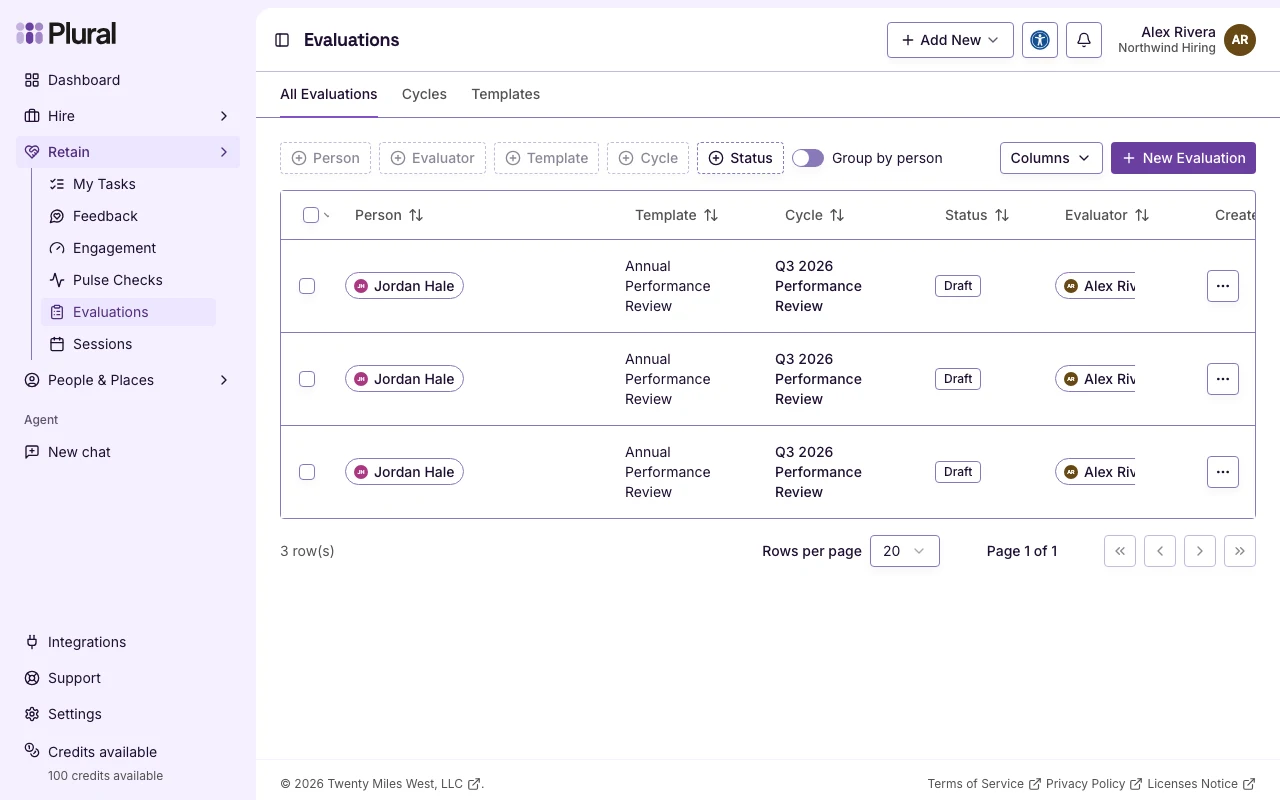
The page title is Evaluations. The first tab is All Evaluations.
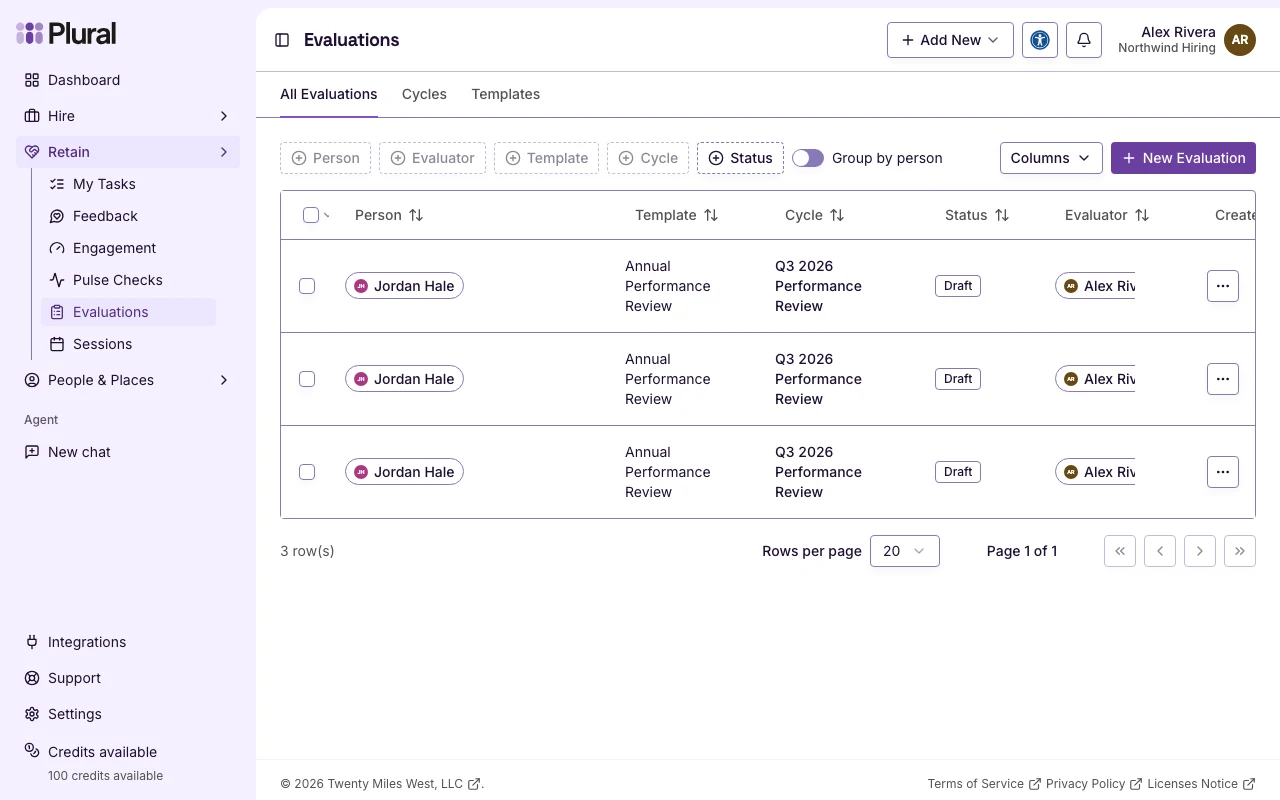
- Select All Evaluations to see the list of evaluations.
- Select Cycles if you manage evaluation cycles. This tab is for owner and administrator.
- Select Templates if you manage evaluation templates. This tab is for owner and administrator.
All Evaluations
The table columns are Person, Template, Cycle, Status, and Evaluator.
Status values:
- Draft
- In Progress
- Submitted
- Acknowledged
- Completed
- Cancelled
- Turn on Group by person to group rows by the person who is evaluated.
- Use the filters to limit the list by person, evaluator, template, cycle, or status.
- Open the row menu. Select View to open the read-only page. Select Edit to write or submit the evaluation. Select Change status if you can update evaluations for the organization. Select Delete if you can delete evaluations.
If you can create evaluations, New Evaluation is at the top right.