
Billing and usage
View Billing & Usage to read your current plan and credit balance.
Billing & Usage shows the organization plan and credit balance. You also start subscription and credit purchases from this page.
Before you start
- You must be signed in.
- These plans include this feature: Hire, Retain, Hire + Retain, and Enterprise.
- These roles can view Billing & Usage: Owner and Administrator.
- Other roles do not see Billing & Usage in Settings.
- If a partner manages the organization, the page shows Settings managed by partner. The Subscriptions and Credits tabs do not appear.
View Billing & Usage
- In the sidebar, select Settings.
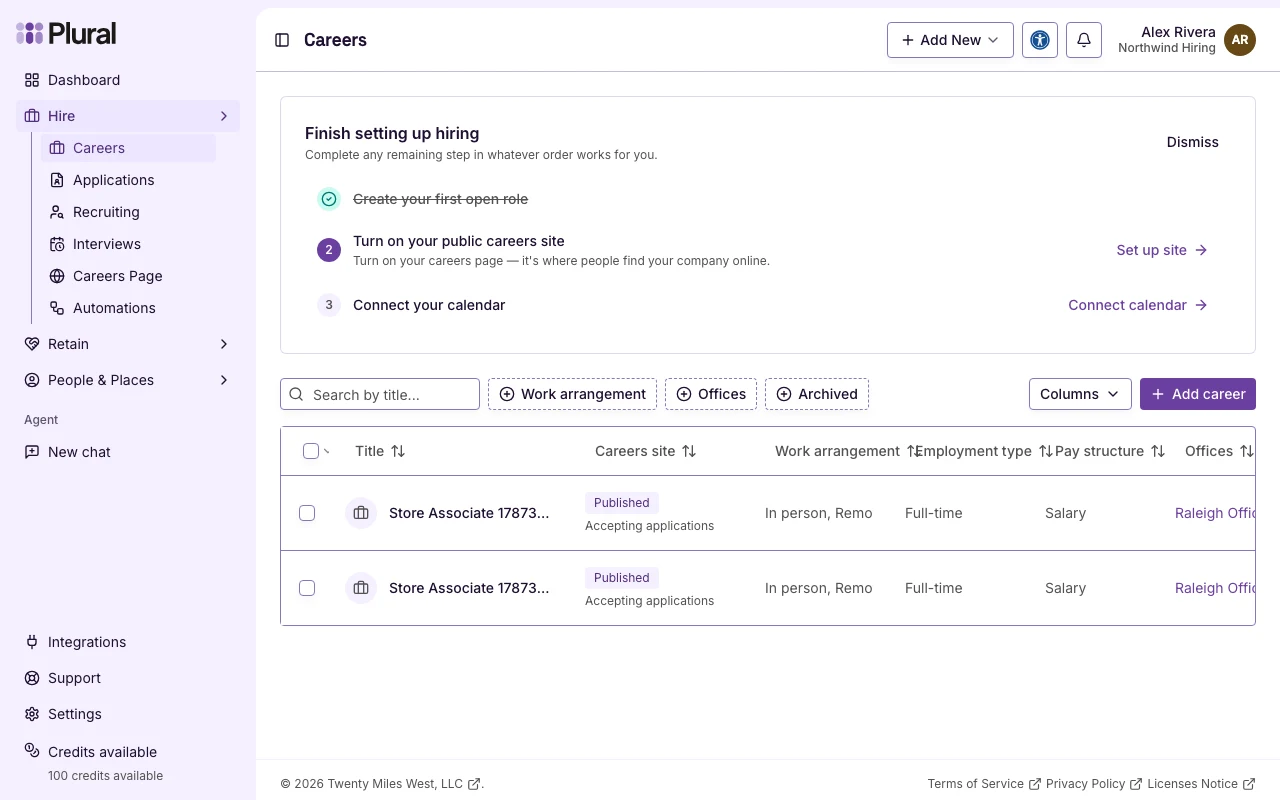
The page title is Settings. The description is Manage your profile and account settings.
- Under Organization settings, select Billing & Usage.
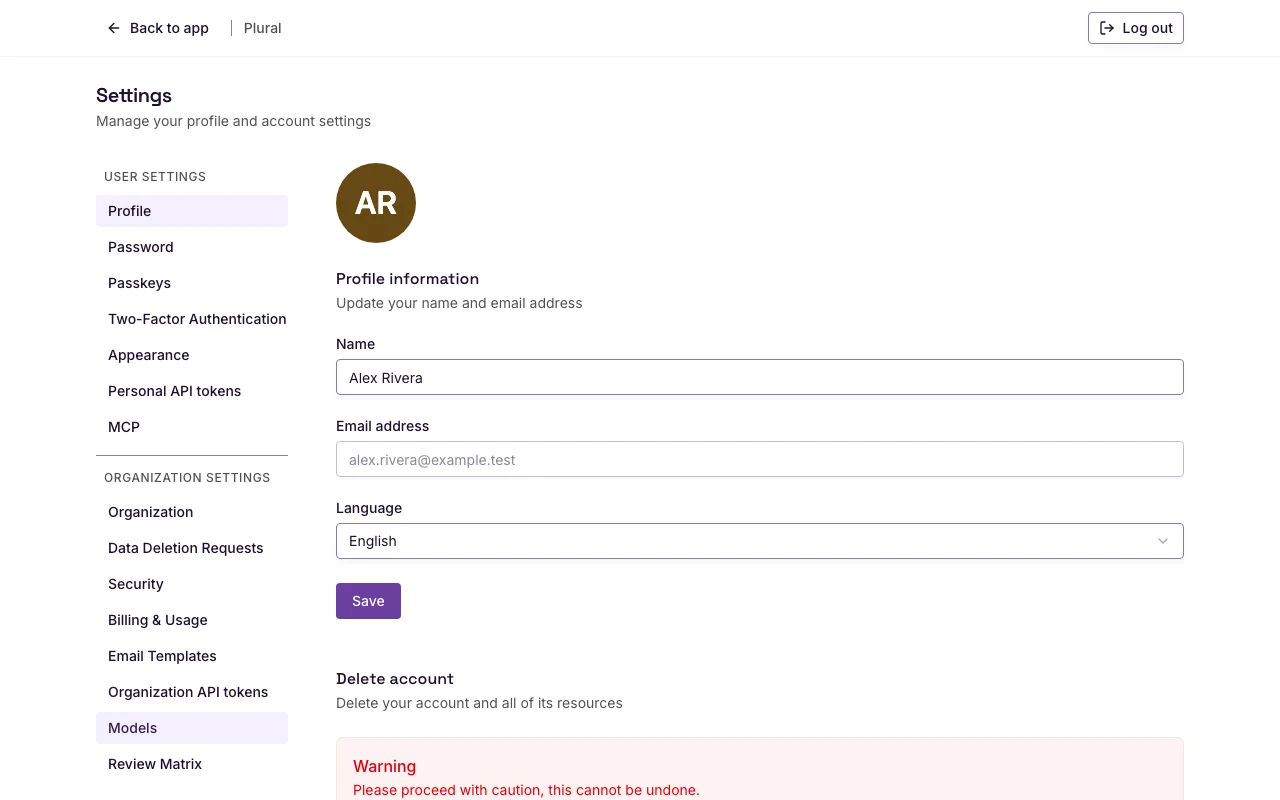
The page title is Billing & Usage. The description is Manage subscriptions, credits, and billing information.
You can also open Settings from the user menu. Then select Billing & Usage.
If a trial banner is on the page, select Manage billing to open billing.
Current plan
The Subscriptions tab is open by default.
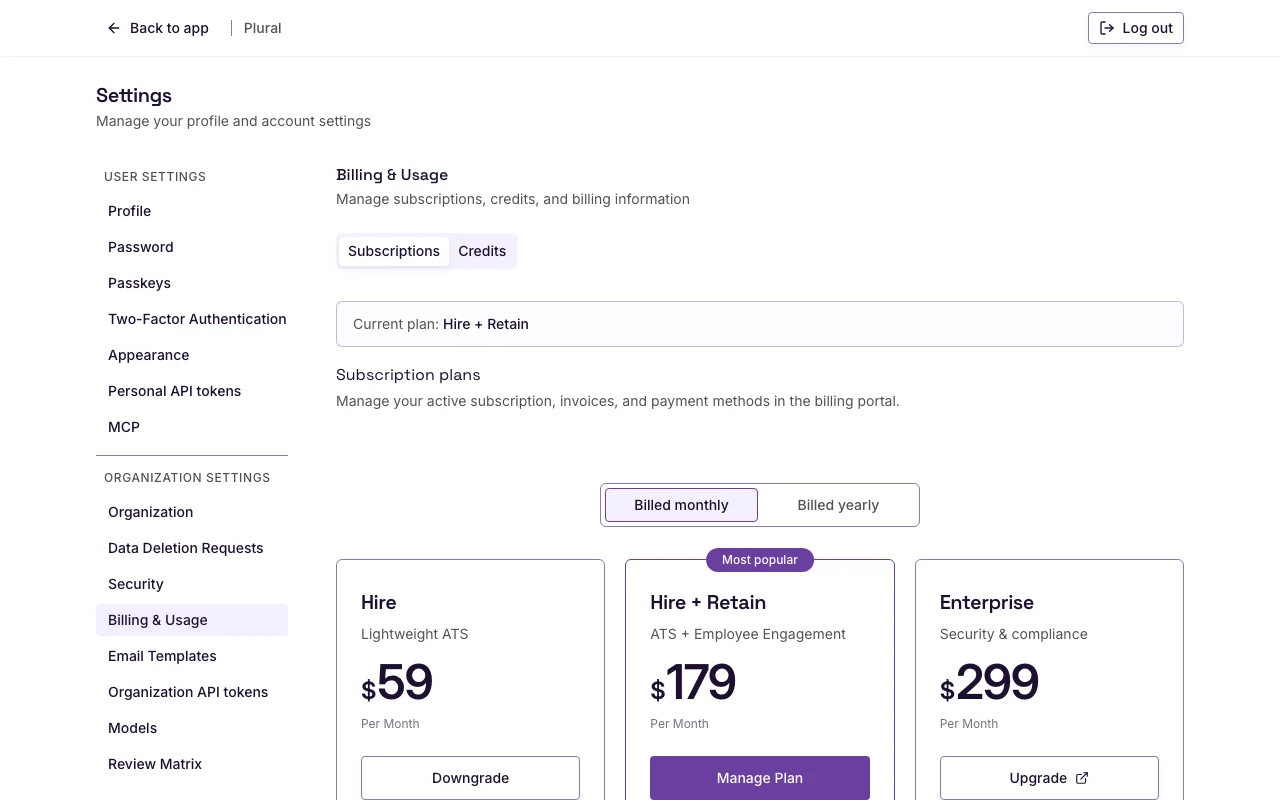
- Read Current plan. The page shows the catalog name of the plan.
- If the organization has no mapped plan, the page shows No plan.
The Subscriptions tab heading is Subscription plans. Use this tab to compare plans and to manage a subscription. See Managing subscriptions.
Credit balance
- Select Credits.
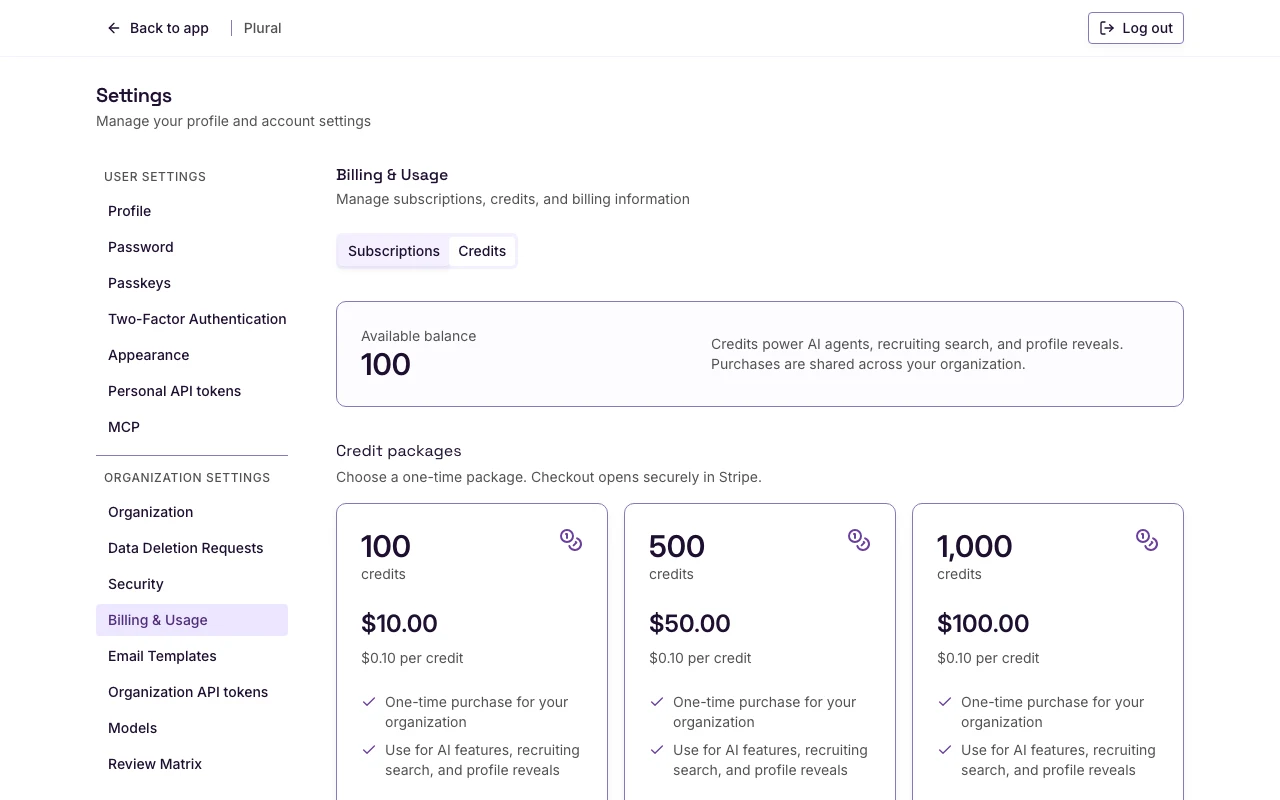
- Read Available balance. The number is the organization credit balance.
The text next to the balance is Credits power AI agents, recruiting search, and profile reveals. Purchases are shared across your organization.
The sidebar can also show Credits available and the same balance. Select Credits available to open credits.
If the credit data is missing, the page shows Credit balance is not available for this organization.