
Scheduling interviews
Book a calendar interview for an applicant, or change the time of an interview that is already booked.
You can book a time for an applicant from Interviews. You can also change a time that is already booked.
Before you start
- You must be signed in.
- These plans include this feature: Hire, Hire + Retain, and Enterprise.
- These roles can schedule an interview: Owner, Administrator, Hiring Manager, and Office Administrator.
- The Career must have at least one Calendar integration interview stage. See Interview stages.
- The applicant must not be Rejected or Withdrawn.
- The interviewer must connect Google Calendar or Microsoft 365 before the system can save a new booking.
View Interviews
- Open Hire, then open Interviews.
- Select New Interview.
The dialog title is Schedule interview.
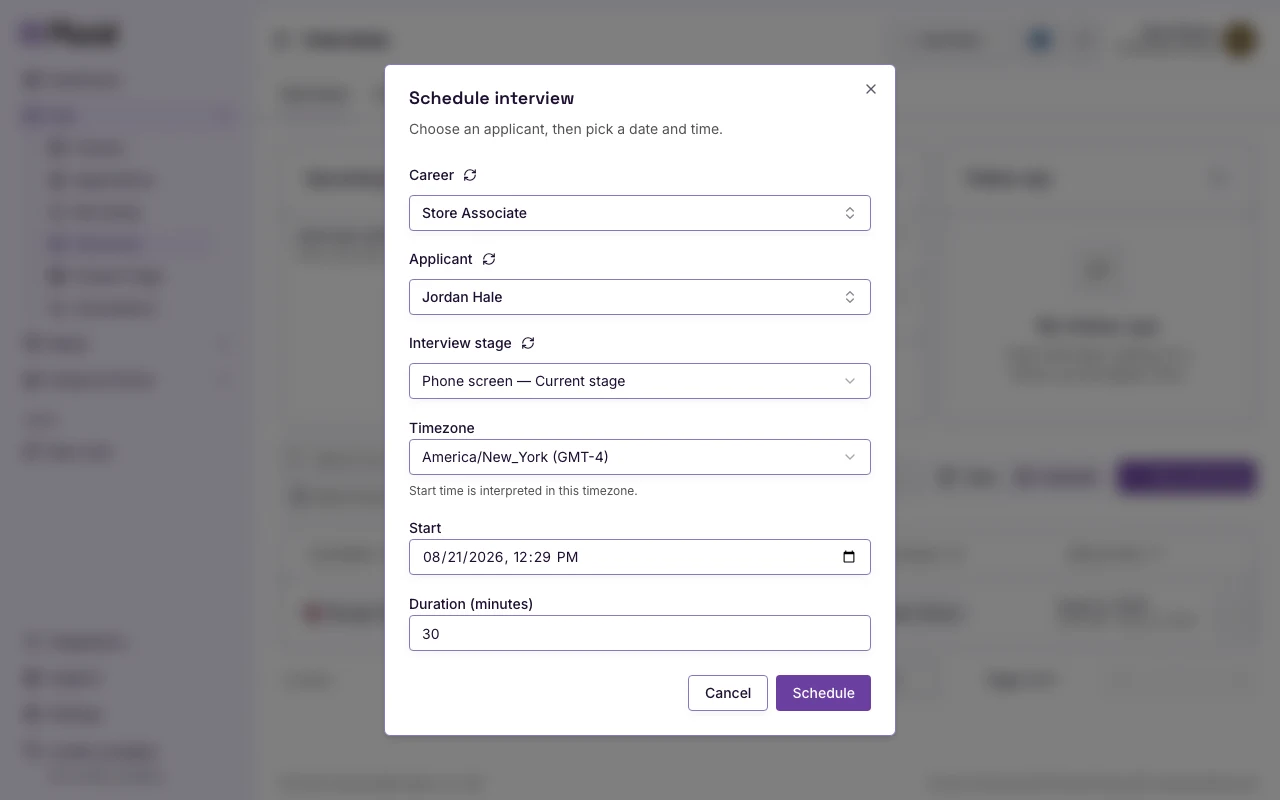
You can also select Calendar, then select a day. The same dialog opens for that day.
Schedule
- In Career, select the role. This example uses Store Associate.
- In Applicant, select the person. This example uses Jordan Hale. Morgan Ellis already has a booked Phone screen.
- In Interview stage, select the stage. This example uses Phone screen. The list marks the active stage as Current stage.
- In Timezone, select the timezone. The start time uses this timezone.
- In Start, select the date and time.
- In Duration (minutes), type the length. The default is
30. - Select Schedule. Select Cancel to close the dialog.
A success message shows: Interview scheduled.
If Career is empty, select a Career first. The form shows Select a career first.
If Applicant is empty, select an applicant first. The form shows Select an applicant first.
If no calendar stage is open, the form shows why. For Rejected or Withdrawn, select Change Application Status.
Reschedule
- Open Interviews.
- In the row, select Interview actions.
- Select Manage interview.
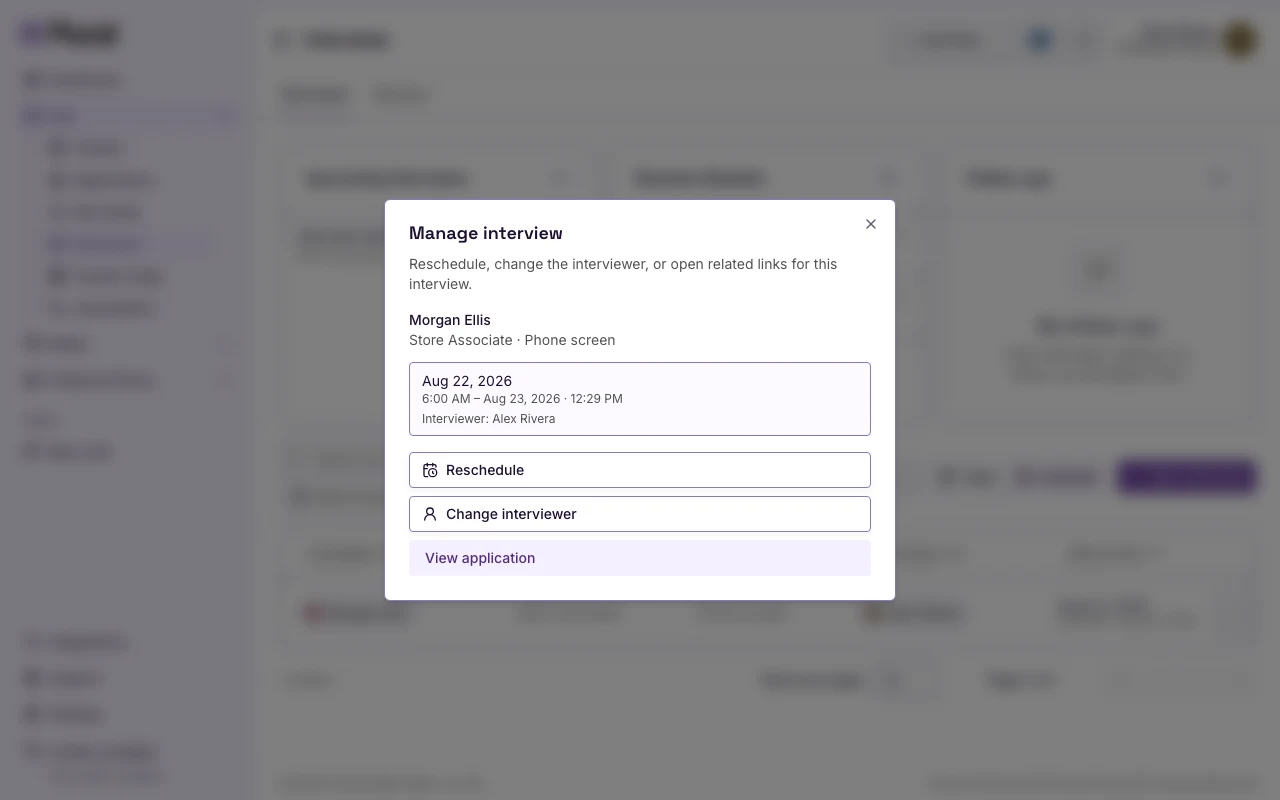
- Select Reschedule.
- In Start, select the new date and time.
- In Duration (minutes), type the new length if you need a different length.
- Select Schedule.
A success message shows: Interview scheduled.
On Manage interview you can also select Change interviewer if your role can change the interviewer for that application. Select View application to open the application.